


Landscape Design - AI Garden
4.5109.00 Reviews
App Specs
- Version
- 1.9.25
- Updated On
- License
- Free
- Downloads
- 50,000+
- Developer
- Identifier Studio
- Categories
- House & Home
- Platform
- Android
Screenshots
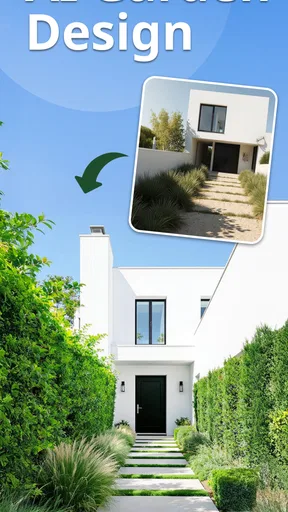
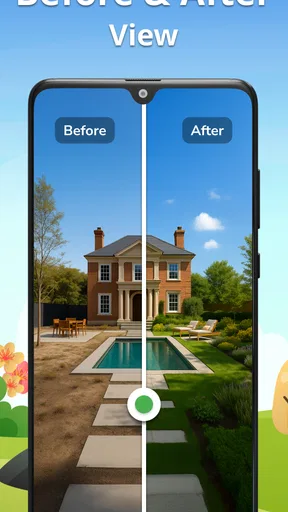
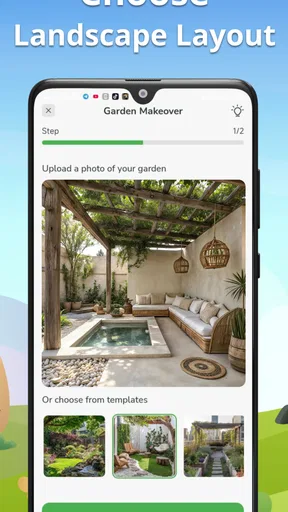
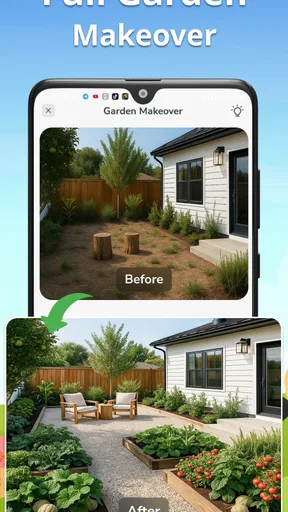
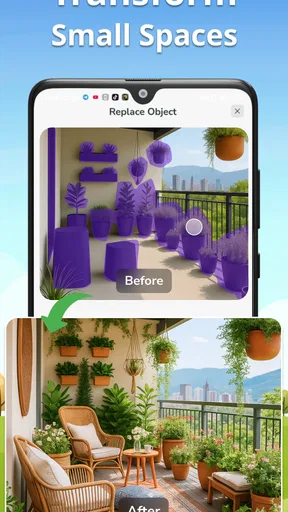
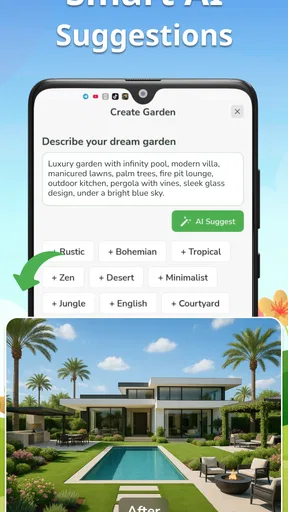
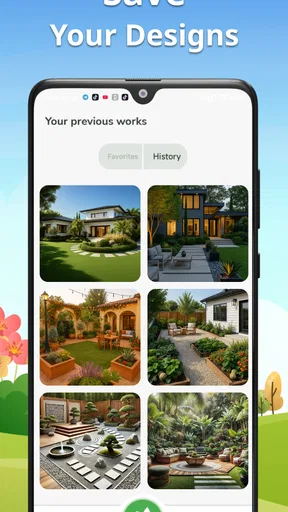
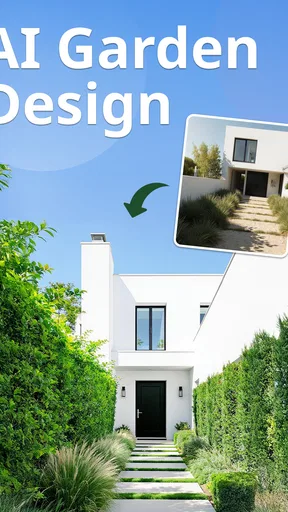
 Analysis by AppCompare
I like the idea of starting a garden makeover with a picture rather than a blank page. Landscape Design - AI Garden is aimed at that first, often tricky step: turning a rough outdoor-space idea into something you can look at and discuss. I’d treat it as a source of inspiration, not a substitute for measuring a yard, checking local growing conditions, or getting professional advice for major work.
Where it fits in a garden-planning routine
This House & Home app from Identifier Studio sits between collecting inspiration images and drawing a detailed plan. Its focus is visual: use AI-assisted ideas to explore an outdoor redesign, then decide which direction is worth pursuing. That can be useful when you know your yard feels unfinished but cannot yet describe whether you want more planting, a clearer path, or a different overall mood.
The app is free to download, with in-app purchases listed from $3.99 to $39.99 per item. I’d begin by seeing whether its design approach suits the way I think before paying for anything. If you already have a clear plan and mainly need exact quantities, construction drawings, or a reliable materials quote, a specialist planning tool or a local landscape professional may be a better fit.
What the current version tells me—and what it doesn’t
The current release is version 1.9.22, and the app launched on July 30, 2025. Those facts give a useful snapshot of a relatively new product’s present state, but they don’t establish which features changed between releases. I wouldn’t assume that a particular tool is new, that the app has followed a specific development path, or that future updates will add anything in particular.
For someone already using it, the practical question is whether the current experience helps with a real decision: can you compare possible looks, explain an idea to another person, and narrow down what to investigate outdoors? The app’s AI garden-design focus makes that kind of early exploration its clearest role. I’d keep any final plant choices and measurements separate until I had checked the actual site.
Who is likely to get the most from it
I’d recommend trying it if you’re a homeowner or renter with permission to change an outdoor area and you need a visual starting point. It may also help someone preparing for a conversation with a landscaper: a generated concept can make preferences easier to explain, even when it is not a construction-ready plan. The Everyone content rating makes the app broadly accessible, though the usefulness of its ideas still depends on the user’s judgment and the conditions of the space.
The app has a 4.5 average from around 2.4 thousand ratings, with over 50 thousand installs. That gives a prospective user some adoption context, not a promise that every design will suit every yard. I’d judge it by whether its suggestions feel relevant to my own space and whether the available options are worth the purchase cost for my needs.
Worth Reading Before You Choose

EA SPORTS FC Mobile 26 Is a Bigger Football Game, but It Takes Time

Flipboard Shows What News Apps Must Do Beyond the Feed

Switching to Android Auto Means Rethinking Your Driving Routine

Google Calendar Makes a Crowded Week Easier to Manage

Ludo King Makes the Most of the Minutes Between Plans

Baby Panda World Brings Quick Play to Modern Phones, but Its Game Library Feels Busy
Limits worth keeping in view
AI-generated outdoor concepts can be appealing while overlooking practical constraints. A picture alone may not convey drainage, shade through the day, soil, access, property boundaries, or the mature size of plants. I’d use any visual result as a conversation starter, then verify those details before buying plants or materials. A design that looks balanced on a screen can still be awkward to maintain or unsuitable for the site.
There is also a difference between a visual idea and a dependable plan. If your project involves retaining walls, grading, irrigation, permits, or substantial spending, I would not rely on an image generator to settle technical questions. For a small refresh, experimentation may be enough; for structural changes, accurate measurements and qualified local guidance matter more than a quick concept.
First Impressions
Upon opening the app, I was immediately struck by its sleek and intuitive interface. The developers have done a remarkable job in ensuring that even a newbie, like myself, can navigate through the features without feeling overwhelmed. It’s like having a professional garden designer in your pocket, ready to guide you through every step of your landscaping journey.
Diving Into the Features
The app offers a variety of tools that cater to different aspects of garden design. One of my favorite features is the AI-powered plant suggestion tool. It’s like magic; you upload a picture of your current garden layout, and the app suggests plants that would thrive in your specific environment. This is particularly helpful for someone like me who struggles with plant selection.
Another standout feature is the 3D design tool. It allows you to visualize your dream garden in a 3D space, tweaking and adjusting elements until you’re satisfied with the layout. The best part? You can rotate and view your design from every angle, ensuring no detail is overlooked. Seriously, it's addictive!
Learning and Growing
For those of us who are still learning the ropes in gardening, Landscape Design - AI Garden offers a wealth of resources. There’s an extensive library of articles and tutorials covering everything from basic gardening tips to advanced landscaping techniques. I've spent hours diving into these articles, emerging each time with newfound knowledge and inspiration.
The app also includes a community feature where you can connect with other garden enthusiasts. Sharing ideas, getting feedback, and even participating in design challenges adds a social element that I didn’t realize I needed. It’s a great way to stay motivated and inspired by others’ projects.
Practical Applications
Beyond the fun of designing, the app is incredibly practical. It offers a planting calendar tailored to your local climate. This has been a lifesaver for me, ensuring I plant at the right times to maximize growth. Additionally, the app provides maintenance reminders, so you’ll never forget to water or fertilize your plants again. Trust me, it’s like having a personal assistant for your garden.
One of the most useful aspects is the cost estimator. As someone who’s always concerned about budget, I appreciate how the app provides an estimate for the cost of plants and materials needed for your design. It’s transparent and helps in planning without breaking the bank.
Making the pictures useful outdoors
My most useful workflow would be to take a clear photo from a spot where I can see the whole area, then use the visual concept to identify one decision at a time. For example, I might first decide whether I want a seating corner or a more open lawn, rather than trying to redesign every bed, path, and border in one go. That keeps an attractive image from becoming an overwhelming shopping list.
I’d also save the original photo and note what the image cannot show: where water pools after rain, which areas get afternoon sun, and where people actually walk. Those observations help me judge whether a generated layout is plausible. If a proposed feature blocks a gate or sits in a soggy corner, I can reject that idea early instead of treating the visual polish as proof that it will work.
A realistic use case is a weekend refresh before inviting friends over. I could explore a few looks for a tired patio edge, choose one or two changes that fit my budget, and take the concept to a garden center or contractor for a reality check. I would not buy everything shown at once; I’d confirm plant suitability and quantities first, then stage the work so a single uncertain choice does not dictate the entire makeover.
How I’d compare it with the usual alternatives
Compared with saving garden photos on a mood board, an AI design app can make an idea feel more connected to your own outdoor space. A mood board is better for collecting styles and products you know you like; this app is more useful when you want to imagine a transformation rather than simply gather references. I’d use both if I were still choosing a direction.
Compared with drawing a plan by hand or using a conventional landscape planner, the AI approach is easier for quick visual exploration, especially when you are not confident sketching. The trade-off is that a generated image may be less dependable for exact placement and construction decisions. If precision is the priority, I’d reach for a measured plan or professional design process instead of expecting a visual concept to provide technical certainty.
For plant selection, a local nursery or regional gardening guide can be more trustworthy when the question is whether a particular species will thrive in a specific microclimate. I’d let the app help me explore combinations, then verify the choices locally. That combination uses its creative strength without asking it to replace the knowledge of people who understand the site and climate firsthand.
Small decisions that prevent expensive mistakes
One useful habit is to treat the first design as a draft, not a verdict. I’d compare the concept against a short list of real needs: how much maintenance I can handle, whether children or pets need open space, and whether the area must remain accessible. This turns “I like the look” into a more practical test of whether the garden will fit everyday life.
I would also separate inspiration from budgeting. A cost estimate can help frame a project, but I’d confirm current local prices, delivery, labor, and any preparation work before committing. Materials that look minor in a design may require extra groundwork, while a smaller planting change can have a surprisingly large effect. The safest approach is to price the specific elements I actually intend to build.
For a shared yard, I’d show a concept to the other people who use the space before settling on it. A partner may care more about shade or storage than the visual centerpiece; a landlord may need to approve changes; a contractor may spot a clearance issue. The app can make that discussion concrete, but it cannot make those decisions on everyone’s behalf.
What I would keep watching
Because the app is relatively new, I’d pay attention to how well its current tools support repeat use, not just the excitement of a first concept. In particular, I’d want a design workflow to remain helpful when I return with new measurements or a revised budget. The version number is a snapshot, not evidence of a particular improvement, so I would judge any future change by whether it makes planning clearer and more practical.
I’d also keep an eye on whether the app’s visual suggestions and any supporting planning tools work together smoothly. A concept is most valuable when it can lead to a sensible next step, such as checking a plant choice or discussing a layout with someone doing the work. Until I have a confirmed site plan, I’d avoid assuming that a polished render is a guarantee of horticultural or construction accuracy.
Final Thoughts
Overall, Landscape Design - AI Garden has been a delightful addition to my gardening toolkit. Whether you’re a seasoned landscaper or a complete beginner, this app has something to offer. Its blend of technology and creativity makes garden planning not only accessible but also enjoyable.
If you're ready to take your garden to the next level, I’d highly recommend giving it a try. It’s been a rewarding experience, and I’m excited to see how my garden will flourish with the help of this fantastic app. Now, if you'll excuse me, I have some planting to do!
Pros
- User-friendly interface for all skill levels.
- Wide variety of plants and materials available.
- AI suggestions enhance design creativity.
- Offline mode allows design without internet.
- Regular updates with new features.
Cons
- Limited free features without subscription.
- Occasional slow performance on older devices.
- In-app purchases can add up quickly.
- Requires a large amount of storage space.
- Some features need internet to function.
FAQs for Landscape Design - AI Garden
What features does Landscape Design - AI Garden offer?
Landscape Design - AI Garden provides a range of features including AI-driven garden planning, plant selection assistance, and 3D visualization tools. Users can design custom layouts, simulate plant growth over time, and access a comprehensive database of plants. It also offers seasonal recommendations and maintenance tips.
Is Landscape Design - AI Garden suitable for beginners?
Yes, the app is beginner-friendly. It includes step-by-step tutorials and an intuitive interface that guides users through the design process. The AI assistant provides personalized suggestions based on your space and preferences, making it easy for novices to create beautiful garden layouts without prior experience.
Can I use Landscape Design - AI Garden offline?
Landscape Design - AI Garden requires an internet connection for most features to function, especially those involving AI processing and updating plant databases. However, users can save their designs offline for later viewing and make basic edits without connectivity. Full functionality is restored once reconnected to the internet.
Does Landscape Design - AI Garden support different climate zones?
Yes, the app supports a variety of climate zones. It utilizes your location data to recommend plants and design elements suitable for your specific climate. This ensures your garden thrives in its environment, offering tailored advice on plant care and seasonal maintenance specific to your region.
What devices are compatible with Landscape Design - AI Garden?
Landscape Design - AI Garden is compatible with both Android and iOS devices. It supports a wide range of smartphones and tablets, ensuring a smooth experience across platforms. Users should ensure their device is running the latest operating system for optimal performance and access to all features.


